Onsitego Blog
  • Contact Us
No Result
View All Result
  • Home
  • News
  • Reviews
  • Buying Guide
  • Explainers
  • How-To
Onsitego Blog
  • Home
  • News
  • Reviews
  • Buying Guide
  • Explainers
  • How-To
No Result
View All Result
Onsitego Blog
No Result
View All Result
Home News

Windows 11 Is Finally Getting New Fluent Emojis Via Software Update

Ajinkya BhoirbyAjinkya Bhoir
26/11/2021
in News
0 0
0
Microsoft 3D Emojis
WhatsAppFacebookTwitter

Last Updated on November 26, 2021 by Asif Iqbal Shaik

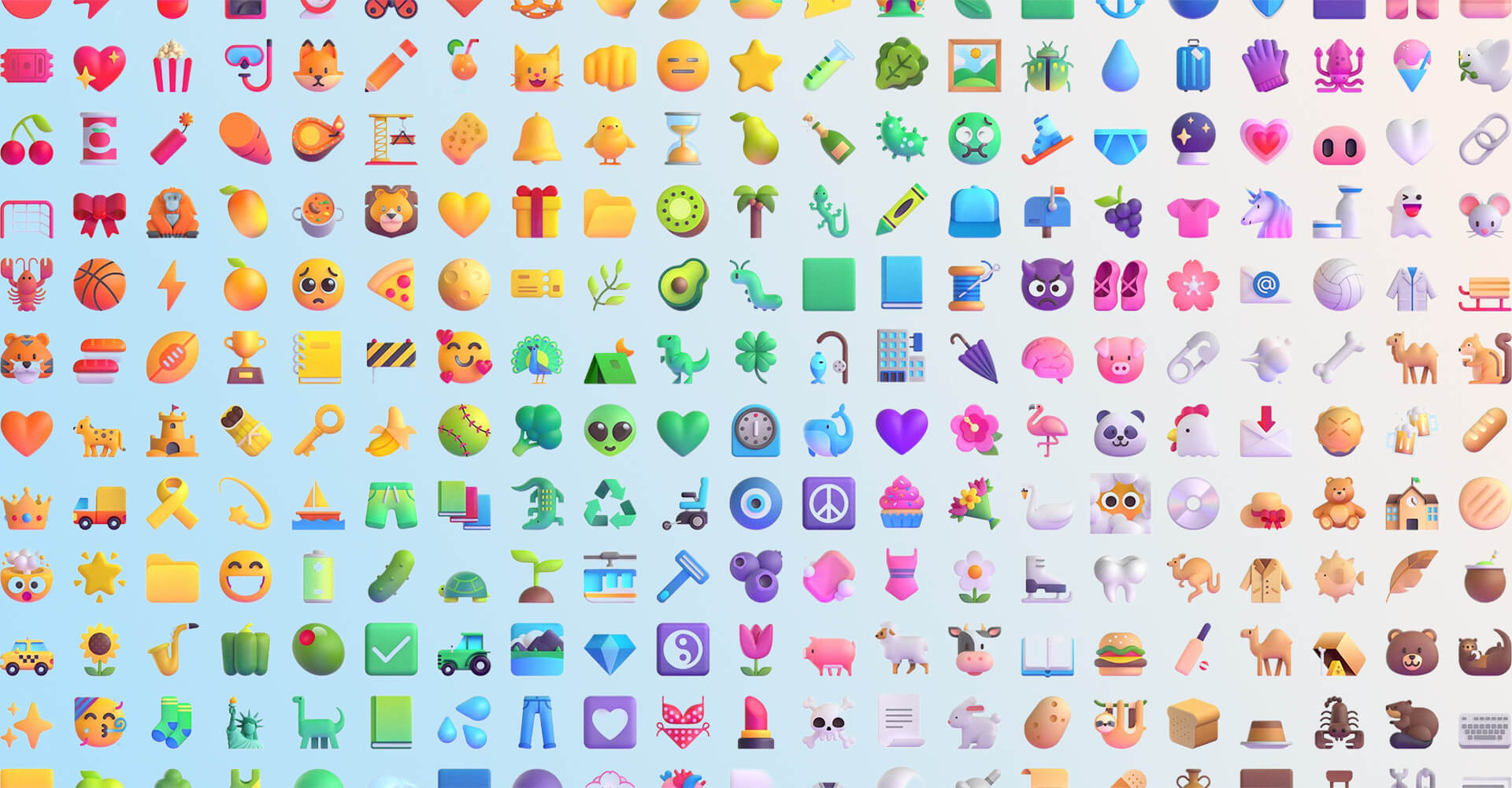
Microsoft is rolling out an update to the Windows 11 Operating System to add the highly-anticipated Fluent Emojis. These new emojis will come in 2D designs and will be exclusive to Windows 11 users. The legendary paper clip emoji ‘Clippy’ also makes an appearance in the new set of emojis. Microsoft calls these 2D designs ‘Fluent Style’ emojis because of their gradient colours and a bit of depth.

“These new Fluent style emoji being released in Windows 11 today feel personal and familiar, two of our Windows 11 design principles,” said Judy Safran-Aasen, Microsoft’s Program Manager for the Windows Design Team.

Subscribe to Onsitego

Get the latest technology news, reviews, and opinions on tech products right into your inbox


    The company says it has no plans to bring these emojis to its older Windows operating systems versions. For Windows 11 users, these new 2D design emojis may seem like a welcome addition. However, some might be disappointed as it was expected to receive 3D designs, which Microsoft showcased back in July 2021. The company was said to be working on 3D design emojis and looked significantly better than the 2D design ones.

    Also Read
    Microsoft Surface Duo Android 11 Update Finally Arrives With New Features, Bug Fixes
    Microsoft Windows 11 Emoji

    Microsoft later clarified that the company didn’t mean to release 3D emojis natively for Windows 11. Instead, those 3D emojis were built for Microsoft’s own apps like Skype and Teams. But, users expected that 3D emojis will come to Windows 11 (and even Windows 10). However, something is better than nothing, and these new 2D Fluent Emojis are a big step up from the previous emojis from the company.

    Windows 11 users can download the update manually to build 22000.346, to get the new emojis. Open your Windows Update settings (Settings > Update & Security > Windows Update) and click on Check for updates. Once the update process is complete, press the Windows Key + Period Key to access the new emoji within the emoji picker. This update also brings some bug fixes to Windows 11.

    5 - 6

    Thank You For Your Vote!

    Sorry You have Already Voted!

    Follow Onsitego on Facebook, Instagram, Twitter, and YouTube to get the latest news, reviews, maintenance tips, and videos about your favourite gadgets and appliances.

    Tags: MicrosoftMicrosoft Windows 11Operating System
    SendShareTweet

    Discussion about this post

    About Onsitego

    • About Onsitego
    • What We Do
    • The Team
    • Write For Us
    • Talk To An Expert
    • Become An Affiliate Partner
    • Subscribe To RSS Feeds

    Water Purifier Services

    UV & RO Service in Mumbai
    UV & RO Service in Delhi NCR
    UV & RO Service in Bangalore
    UV & RO Service in Pune
    UV & RO Service in Hyderabad
    UV & RO Service in Chennai

    You Might be interested in

    • Air Conditioner Protection Plans
    • Refrigerator Protection Plans
    • Washing Machine Protection Plans
    • Television Protection Plans
    • Digital Camera Protection Plans
    • Laptop Protection Plans
    • Tablet Protection Plans
    • Mobile Protection Plans

    Our Servicers

    AC Repair & Service in Mumbai
    AC Repair & Service in Delhi NCR
    AC Repair & Service in Bangalore
    AC Repair & Service in Pune
    AC Repair & Service in Hyderabad
    AC Repair & Service in Chennai

    Laptop Repair Service in Mumbai
    Laptop Repair Service in Bangalore
    Laptop Repair Service in Delhi NCR

    • About
    • Contact

    © 2022 Onsitego Blog | Electronic news, views and reviews of the best selling gadgets and home appliances..

    Welcome Back!

    Login to your account below

    Forgotten Password? Sign Up

    Create New Account!

    Fill the forms below to register

    All fields are required. Log In

    Retrieve your password

    Please enter your username or email address to reset your password.

    Log In
    No Result
    View All Result
    • Home
    • News
    • Reviews
    • Buying Guide
    • Explainers
    • How-To

    © 2022 Onsitego Blog | Electronic news, views and reviews of the best selling gadgets and home appliances..