Onsitego Blog
  • Contact Us
No Result
View All Result
  • Home
  • News
  • Reviews
  • Buying Guide
  • Explainers
  • How-To
Onsitego Blog
  • Home
  • News
  • Reviews
  • Buying Guide
  • Explainers
  • How-To
No Result
View All Result
Onsitego Blog
No Result
View All Result
Home News

Microsoft Xbox Series X, S Updated With 4K Dashboard, Night Mode, Quick Settings

Chandrakant IsibyChandrakant Isi
22/10/2021
in News
0 0
0
Xbox Series X
WhatsAppFacebookTwitter

Last Updated on October 22, 2021 by Asif Iqbal Shaik

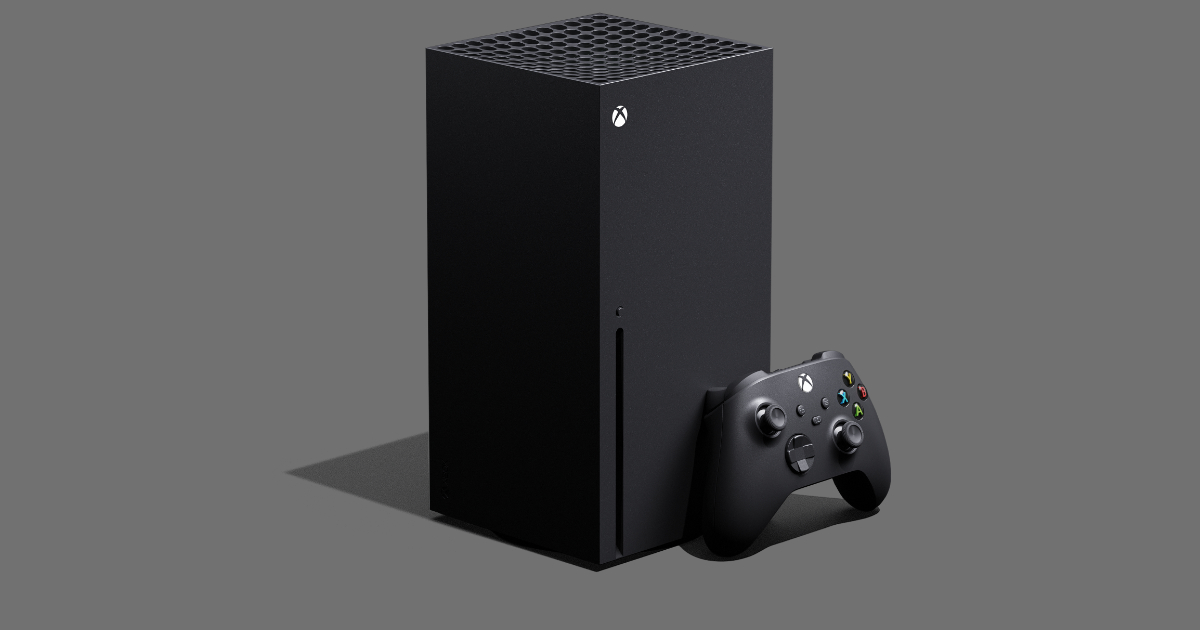
Microsoft may have lost the current-generation console war to Sony, but the software giant has been getting a lot of things right of late. With the latest software update, Microsoft has introduced new features to improve the experience of its latest gaming consoles. Dubbed October Xbox Update, this new software version brings 4K resolution for the dashboard UI, Night Mode, and quick settings to the table. Let us check out how these new features might improve your Xbox experience.

Table of Contents

Toggle
  • Xbox Series X Dashboard In 4K Resolution
  • Xbox Update Brings Night Mode, Blue Light Filter
    • Subscribe to Onsitego
  • Xbox Quick Settings Menu
  • How to Update Xbox Series X and Series S System Software

Xbox Series X Dashboard In 4K Resolution

Subscribe to Onsitego

Get the latest technology news, reviews, and opinions on tech products right into your inbox


    While the PS5 renders the user interface at 4K resolution, the Xbox Series X UI was still capped at Full HD. Finally, catching up with its competitor, Microsoft has now introduced native 4K rendering for its dashboard. As a result, icons, game arts, and buttons will now look sharper as shown in the image above.

    Xbox Update Brings Night Mode, Blue Light Filter
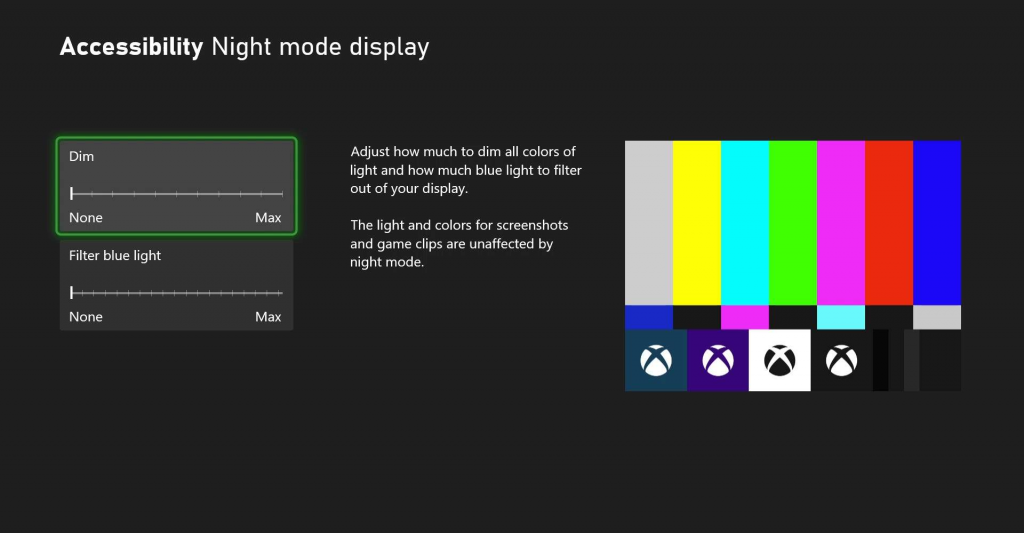
    As per scientific studies, blue light is harmful to your eyes. To cut down on that, Microsoft has baked in the blue light filter in the Xbox Series X and the Xbox Series S consoles. In addition to that, the company enables users to dim the power light on the console and controller. You can also schedule the night mode as per your liking.

    Also Read
    Microsoft Working on Customisable Start Menu and More for Windows 11

    Xbox Quick Settings Menu

    Microsoft has added a Quick Settings menu that allows users to alter accessibility features without leaving the game screen. This feature can come in quite handy if you share the console with someone with different accessibility needs.

    How to Update Xbox Series X and Series S System Software

    1. Make sure your console is hooked up to a stable broadband connection.
    2. Go to your Profile and then select Settings > System > Updates.
    3. The console will check for available updates. If the latest update has been rolled out to your region, you will see the following message “Console update available.” Click on that button to continue.

    Your Xbox Series X or Xbox Series S console might restart several times during the software update process. Once the update is complete, you should notice the sharper dashboard given that you own a 4K TV and you are using the correct HDMI cable that can carry 4K signals.

    -

    Thank You For Your Vote!

    Sorry You have Already Voted!

    Follow Onsitego on Facebook, Instagram, Twitter, and YouTube to get the latest news, reviews, maintenance tips, and videos about your favourite gadgets and appliances.

    Tags: Gaming ConsolesMicrosoftMicrosoft Xbox Series SMicrosoft Xbox Series X
    SendShareTweet

    Discussion about this post

    About Onsitego

    • About Onsitego
    • What We Do
    • The Team
    • Write For Us
    • Talk To An Expert
    • Become An Affiliate Partner
    • Subscribe To RSS Feeds

    Water Purifier Services

    UV & RO Service in Mumbai
    UV & RO Service in Delhi NCR
    UV & RO Service in Bangalore
    UV & RO Service in Pune
    UV & RO Service in Hyderabad
    UV & RO Service in Chennai

    You Might be interested in

    • Air Conditioner Protection Plans
    • Refrigerator Protection Plans
    • Washing Machine Protection Plans
    • Television Protection Plans
    • Digital Camera Protection Plans
    • Laptop Protection Plans
    • Tablet Protection Plans
    • Mobile Protection Plans

    Our Servicers

    AC Repair & Service in Mumbai
    AC Repair & Service in Delhi NCR
    AC Repair & Service in Bangalore
    AC Repair & Service in Pune
    AC Repair & Service in Hyderabad
    AC Repair & Service in Chennai

    Laptop Repair Service in Mumbai
    Laptop Repair Service in Bangalore
    Laptop Repair Service in Delhi NCR

    • About
    • Contact

    © 2022 Onsitego Blog | Electronic news, views and reviews of the best selling gadgets and home appliances..

    Welcome Back!

    Login to your account below

    Forgotten Password? Sign Up

    Create New Account!

    Fill the forms below to register

    All fields are required. Log In

    Retrieve your password

    Please enter your username or email address to reset your password.

    Log In
    No Result
    View All Result
    • Home
    • News
    • Reviews
    • Buying Guide
    • Explainers
    • How-To

    © 2022 Onsitego Blog | Electronic news, views and reviews of the best selling gadgets and home appliances..